
Website Design for Dance Studios That Converts Parents
20 September 2026
Why Your Dance Studio's Website Matters More Than You Think
By the time a parent calls your studio, they've usually already made up most of their mind. They've compared two or three studios in your area, scrolled through class schedules, and decided whether you look like a fit for their kid — all before dialing your number. Your dance studio website isn't a digital brochure sitting quietly in the background. It's doing the selling before you ever say hello.
The timing problem compounds this. A huge share of calls to studios come in during class hours, when instructors are teaching and the front desk is empty — and research on dance studio phone habits shows how often those calls simply go unanswered, with the parent rarely calling back. A parent who can't reach you and can't find the answer on your site moves to the next studio on their list. The website has to carry the weight your phone can't during those hours: answering the obvious questions, showing what a class actually looks like, and making it possible to act — book, enroll, ask — without waiting for a callback.
The Pages Every Dance Studio Website Needs
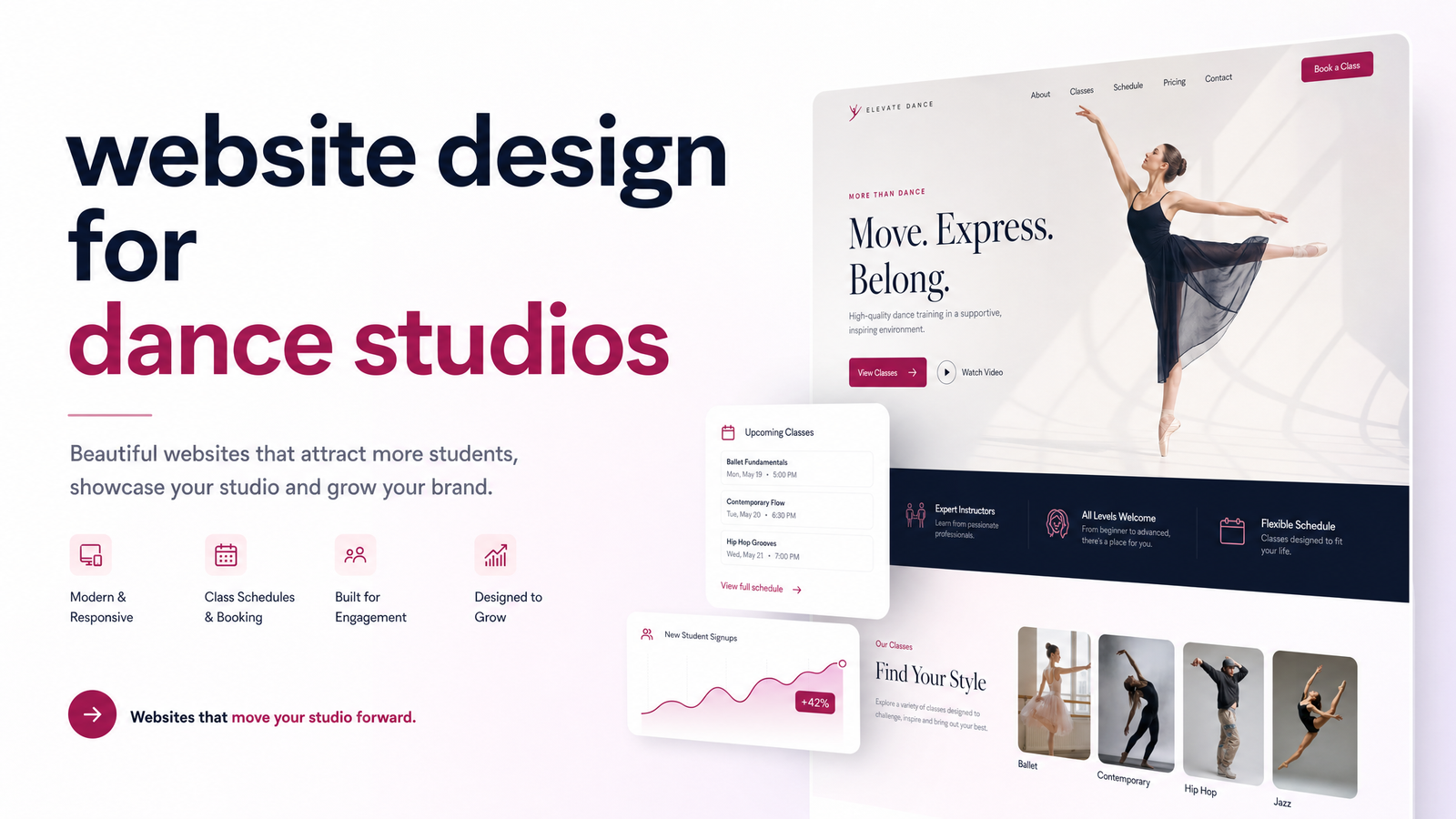
A strong dance studio website isn't about flashy design — it's about giving parents the exact information they're hunting for, in the order they need it. The core pages worth getting right:
- Homepage — a clear headline stating what you teach and who it's for, a prominent "Book a Trial Class" button above the fold, and a snapshot of programs so a parent knows within seconds whether they're in the right place.
- Class schedule page — organized by age group and style (ballet, hip-hop, tumbling, competition team), not just a generic timetable. Parents searching for "3-year-old ballet near me" need to find that class in two clicks, not dig through a PDF.
- Instructor bios — names, photos, credentials, and teaching style. Parents are trusting someone else with their child; a faceless staff list doesn't cut it.
- Pricing/tuition page — even a range builds confidence. Studios that hide pricing behind a "contact us" form lose parents who are comparison shopping.
- Trial class / book now page — a dedicated, frictionless path to reserve a spot, separate from a general contact form.
- Testimonials and recital gallery — real photos and videos from your own studio, not stock imagery.
- FAQ — covering dress code, what to bring, makeup policies for recitals, and age cutoffs.
- Contact and location page — address, map, hours, and multiple ways to reach you, since not every parent wants to call.
Each page moves a parent from curious to committed. Skip one, and you create a gap where they either leave or have to call you to fill in the blank — exactly the outcome you're trying to avoid.
Making Registration and Booking Effortless
Once the pages exist, the next question is where booking actually lives. Tools like Mindbody, Jackrabbit, and WellnessLiving handle the back-end logistics — payments, attendance, waivers — but they shouldn't be the entry point to your studio. The website should still be the front door: it sets the tone, explains the program, and builds the case for signing up. The booking software plugs in as the mechanism that completes the transaction, embedded directly on your trial class and schedule pages rather than replacing them.
A raw booking widget dropped on a homepage, with no context, tends to convert poorly. Parents want to understand what they're signing up for first. Structured correctly, though, online class registration lets a parent enroll at 9 p.m. after the kids are in bed — a real advantage, since industry data on studio registrations shows a meaningful share of parents now expect to book online rather than call. Offering 24/7 enrollment means you're not losing signups just because your office is closed. If you're weighing which platform fits your studio, this decision guide to online booking systems breaks down the tradeoffs in more depth.
Building Trust With Parents Before They Ever Visit
Parents aren't just evaluating a service for themselves — they're vetting who spends an hour a week with their child. That raises the bar for trust signals well above what a typical local business needs. Instructor credentials, clear safety and pickup policies, and studio insurance or certifications all matter here, but so does simple visual proof: real recital photos, a video clip from a performance, and reviews from other parents in your community.
Reviews carry particular weight. Research on dance training marketing trends found a large percentage of prospective students check online reviews before enrolling anywhere — meaning your Google reviews and testimonials page are doing active persuasion work, not sitting there as decoration. A studio with five-star reviews prominently displayed, alongside honest photos of actual classes, answers the unspoken question every parent has: will my child be safe, welcomed, and actually taught well here? Get that right and the decision becomes much easier for the parent to make.
Local SEO and Mobile Design for Dance Studios
Most studios compete within a five- or ten-mile radius, which makes local SEO for dance studios less about competing nationally and more about outranking the two or three studios parents are also considering. That starts with a claimed, complete Google Business Profile, consistent name/address/phone details across the web, and location-specific page content — not just a generic "About Us."
Mobile design deserves equal attention. Most parents are browsing on a phone between errands, not sitting at a desktop, so a mobile-friendly website with fast load times and a thumb-reachable booking button isn't optional. For the full local SEO page structure — schema, location pages, and technical details — this guide to local business website structure covers it thoroughly.
DIY vs. Hiring a Professional: What's Realistic for a Busy Studio Owner
Most studio owners are teaching classes, choreographing recitals, and managing staff — not learning web design software on the side. That's exactly how so many studios end up with a DIY site built years ago on a free template, missing a mobile-friendly layout, a real schedule page, or any online registration path. If your current site isn't generating trial bookings, it's worth a quick 15-minute audit of what's holding it back before deciding what to fix.
For most owners, the realistic path is hiring a website designer for a dance studio who understands this specific structure — pages, trust signals, and booking integration — rather than piecing it together alone or hoping a generic builder covers it. If you're wondering how long a rebuild takes, this timeline breakdown sets realistic expectations.
Launchevra builds this exact kind of site for service-based businesses — the structure, copy, booking integration, and mobile optimization handled end to end, so you're not touching code or design software. Take a look at our work for clinics, consultants, and professional service studios or check current pricing to see what a done-for-you build looks like for your studio.
Frequently Asked Questions
Do I need a separate app if my website already has a booking system?
No — a well-integrated booking widget on your website (through Mindbody, Jackrabbit, or WellnessLiving) covers most studios' needs without a dedicated app. Apps add value mainly for studios with heavy repeat-attendance tracking, but for trial classes and new enrollments, the website is the entry point parents actually use.
How much does a professional dance studio website cost?
Costs vary based on the number of pages, custom copywriting, and booking integration complexity, so it's best to check current pricing directly for an accurate figure. A done-for-you build typically costs more upfront than a DIY template but saves the time and guesswork of building it yourself.
Should each dance style or age group have its own page?
Not necessarily a full separate page, but each style and age group should have clearly separated sections on the schedule page. This helps parents searching for something specific, like "toddler tap classes," find the right class immediately instead of scanning an entire timetable.
Can I keep my current booking software if I redesign my website?
Yes — a redesign should integrate with your existing system like Jackrabbit or Mindbody rather than replace it. The website changes around it: better placement, clearer calls to action, and a smoother path into the booking flow you already pay for.
How long does it take to build a dance studio website?
Timelines depend on scope, but a professionally built site with custom pages and booking integration generally takes a few weeks rather than months. For a detailed breakdown of what affects timeline, see this guide to website build timelines.
Do I really need a blog, or can I just have class and schedule pages?
Class and schedule pages are the priority, but a blog isn't required to launch a functional, converting site. It can help with local SEO over time, but studios should get the core pages — schedule, trial booking, instructor bios, and trust signals — right first.
Originally published on Rankevra.