
Schema Markup for Local Business: A Plain-English Guide
22 September 2026
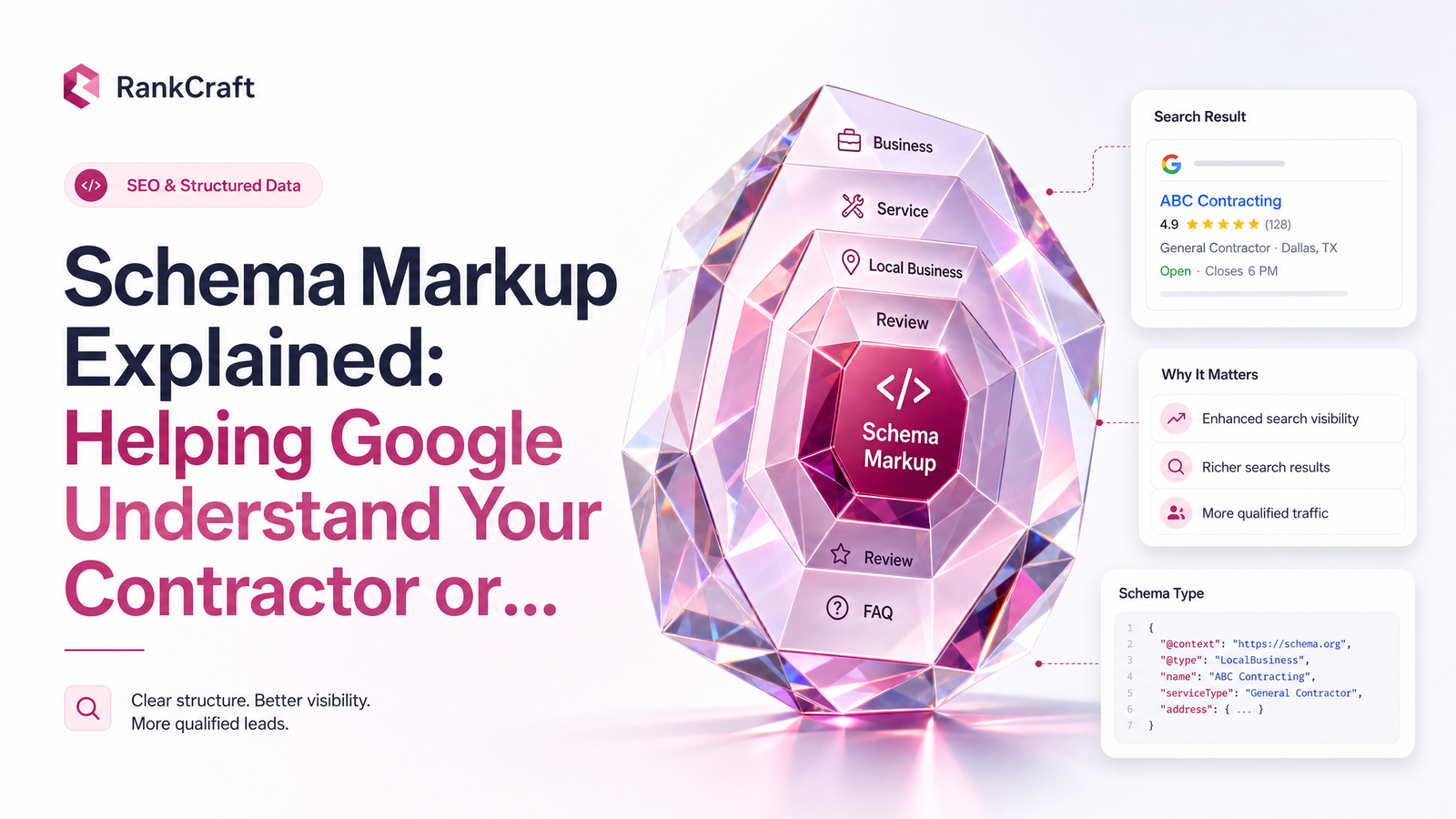
If you've had an SEO audit or sat through an agency pitch, you've probably heard "schema markup" tossed around as if everyone in the room already understands it. It's real — but it's also widely misunderstood, oversold, or ignored entirely on DIY and template websites. This guide explains schema markup for local business in plain language, corrects the myths, and gives you a way to check your own site in a few minutes.
What Schema Markup Actually Is (In Plain English)
Think about how you read a storefront window versus how a delivery driver reads a shipping label. You glance at the window and get a general impression. The driver needs an exact address and a code a scanner can read instantly, with zero guessing. Regular website text is the storefront window — humans can read "Open Monday to Friday, 8am to 5pm" and understand it fine. Schema markup is the shipping label: the same information, formatted so a machine doesn't have to guess.
Technically, schema markup is structured data — snippets of code, usually written in JSON-LD, added to your website's pages. It follows a shared vocabulary maintained by Schema.org, backed by Google, Bing, and other major search engines, so "this is our phone number" and "this is our hours" mean the exact same thing to every search engine reading it. Without it, Google is left inferring your business details from paragraphs, footers, and contact pages — and inference is where mistakes creep in.
Does Schema Markup Actually Help You Rank Higher?
No — not directly, and Google has said so explicitly. Google's Danny Sullivan has publicly confirmed structured data is not a ranking factor, a point documented in this breakdown of whether schema markup is an SEO ranking factor. If someone tells you schema markup will push you up the rankings on its own, they're overselling it.
The honest, indirect value: structured data helps Google understand your page confidently enough to show rich results — star ratings, business hours, and info panels. Rich results tend to earn a better click-through rate simply because they look more complete and trustworthy than a plain blue link. There's also a growing disambiguation benefit: as AI-driven search and assistants pull business information directly into answers, clearly labeled data makes it easier for those systems to cite your business correctly instead of a competitor with a similar name. As this analysis on schema and local rankings points out, the impact is real — it's just indirect, working through clarity and click behavior rather than a ranking algorithm boost.
What Contractors and Clinics Should Actually Mark Up
For a tradesperson, clinic, or consultant, schema markup for local business generally centers on the LocalBusiness schema type — or better, a more specific subtype like ProfessionalService, Plumber, Electrician, or MedicalClinic where one exists. Google's LocalBusiness structured data documentation lays out exactly what it expects, and the core fields matter more than fancy extras:
- Business name, exactly as it appears everywhere else
- Address and service area (critical for contractors who travel to customers rather than operate from a storefront)
- Phone number
- Hours of operation, including holiday exceptions where relevant
- Services offered — roofing repair, physical therapy, tax consulting, whatever applies
- Price range or accepted payment types, where useful
Name, address, and phone number together are often called NAP consistency, and it matters more than owners expect. If your schema says one phone number, your Google Business Profile shows another, and your footer lists a third, you're giving Google a contradiction to sort out, not a clear signal. Contractors especially benefit from an accurate service-area setup, since many trades don't have walk-in locations. Clinics benefit from marking up individual services and practitioners, which helps search engines connect specific treatments to your practice rather than lumping everything under one generic label.
Common Schema Mistakes on DIY and Template Sites
When we review a website before rebuilding it, a handful of schema problems show up again and again. The most common is simply missing entirely — the template never included it, and nobody added it after launch. Almost as common is mismatched information: schema set up once, years ago, that nobody updated even though the business moved, changed its hours, or added new services since.
Then there's the generic-type mistake — using the broad LocalBusiness type when a more specific one, like ProfessionalService or a trade-specific subtype, would tell Google far more. And plugin conflicts are a quiet but frequent issue on DIY builds: an SEO plugin, a page builder, and a Google Business Profile integration each try to output their own schema, resulting in duplicate or contradicting markup on the same page. Any website audit that includes schema should check for all four of these before calling a site "optimized."
A 5-Minute Way to Check Your Own Site
You don't need to read code to check schema markup on your own site. The fastest method is Google's Rich Results Test — paste in your homepage URL, and it will tell you whether structured data was detected, what type it found, and whether anything's broken or incomplete. If it comes back empty, you have your answer.
A second option: right-click any page, choose "View Page Source," and search (Ctrl+F or Cmd+F) for "application/ld+json." If nothing turns up, there's no structured data on that page at all. Either check takes a few minutes and gives you a concrete answer instead of a guess.
Why This Is Easy to Get Wrong — and Easy to Get Right
Schema markup is a small piece of code, easy to overlook, and easy to get subtly wrong — mismatched details often do more harm than having none at all, since they hand Google a contradiction between what a page says and what its markup claims. You don't need to become fluent in JSON-LD or Schema.org's full vocabulary to run a solid local business website; you need it set up correctly once, by people who treat it as a normal part of technical SEO for local business, not an afterthought bolted on later.
This is exactly the kind of detail that's built in correctly, from day one, on every Launchevra site — no plugin conflicts, no generic schema types standing in for your actual business, no mismatched hours between your homepage and your Google Business Profile. If you're a tradesperson, take a look at our websites for contractors and trades. If you run a clinic or professional practice, see our websites for clinics, consultants and practices. Curious what a properly built site costs? Check our pricing, or visit Launchevra to see how it all comes together.
Frequently Asked Questions
What is schema markup and how is it different from regular website content?
Schema markup is structured code, usually written in JSON-LD following the Schema.org vocabulary, that labels information like your business name, hours, and address so search engines can read it with certainty rather than guessing. Regular website content is written for humans to interpret; schema markup is written for machines to parse exactly.
Does adding schema markup actually improve Google rankings?
No, Google has publicly stated that structured data is not a direct ranking factor. Its value is indirect — it helps your listing qualify for rich results like star ratings and info panels, which can improve click-through rate, and it helps search engines and AI tools correctly identify and cite your business.
What specific information should a contractor or clinic mark up with schema?
At minimum: business name, address or service area, phone number, hours, and the specific services you offer. Using a precise schema subtype, such as ProfessionalService or a trade-specific type, gives Google more useful detail than the generic LocalBusiness type alone.
How is LocalBusiness schema different from a Google Business Profile?
Google Business Profile is a free listing you manage directly through Google, controlling how your business appears in Maps and local search panels. LocalBusiness schema is code embedded in your own website that gives search engines the same core details independently, reinforcing consistency between your site and your profile rather than replacing either one.
What happens if schema markup is missing, wrong, or inconsistent with the page content?
Missing schema means Google has to infer your business details from ordinary page text, which is less reliable. Wrong or inconsistent schema — say, an old phone number still embedded in the code — is often worse, since it hands search engines a contradiction between what your page displays and what its markup claims, undermining confidence in both.
Originally published on Rankevra.