
Website for Hair Salons: What Actually Books Clients
14 septembre 2026
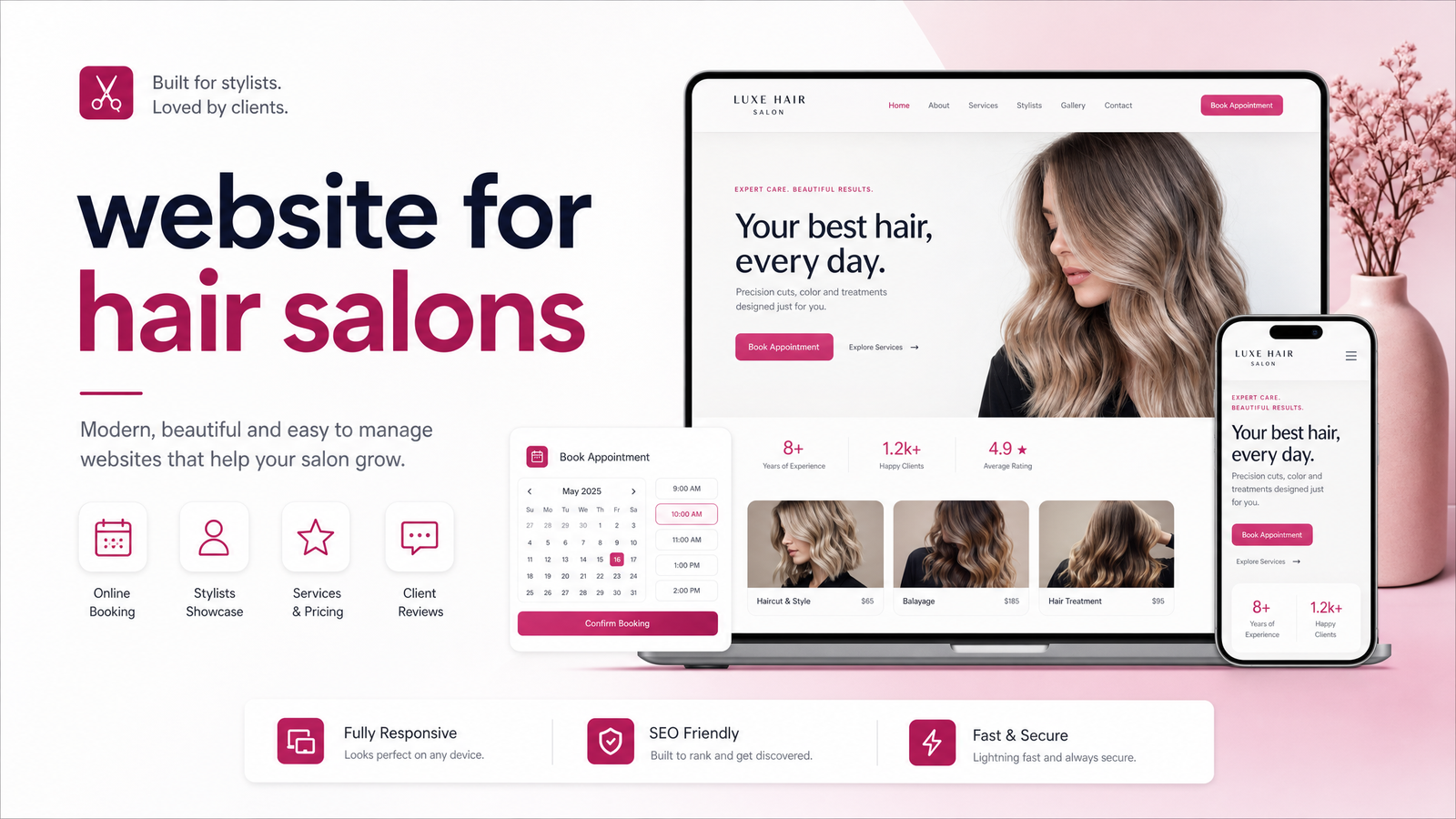
Why Your Salon's Website Matters More Than You Think
A new client rarely walks in cold. She sees a post, checks your Google Business Profile, then looks for your website to confirm you're legitimate before she books — or she doesn't find one and moves to the next salon in the results. Your site isn't competing on style; it's competing on speed and trust, and most salon sites lose on both.
Think of a website for hair salons as a booking tool, not a digital business card. A brochure site that just says "welcome to our salon" with a phone number buried at the bottom does nothing while competitors' sites let clients pick a stylist, see prices, and reserve a slot at 9pm on a Sunday. The salon website that wins isn't the prettiest one — it's the one that removes every excuse a visitor has to leave without booking.
What a Hair Salon Website Actually Needs to Book Clients
The salon website features that actually move the needle are fewer and more specific than most owners assume. Get these right and the rest is polish.
Online booking, front and center. Not a "contact us" form — a live calendar widget on the homepage, visible without scrolling. If booking is buried three clicks deep, you've lost people who decide in seconds.
Visible, organized pricing. Clients want to know roughly what a balayage or a men's cut costs before they call. Group services logically (cuts, color, treatments) and list starting prices rather than making people guess.
Mobile speed. Most salon research happens on a phone, often between errands or during a lunch break. A site that takes five seconds to load loses that window entirely.
Stylist bios and portfolio photos. Clients don't just book "a salon" — they book a person whose work they've seen and whose personality they've gotten a sense of. Real before/after photos, specialties, and a short bio per stylist do more for conversion than any stock hero image.
Real reviews and testimonials. Star ratings and a few pulled quotes near the booking button reduce hesitation at the exact moment someone's deciding whether to commit.
Clear location, hours, and parking notes. Small friction — like not knowing where to park — is enough to make someone abandon a booking attempt.
Good salon website design isn't about looking trendy. It's about sequencing these elements so a visitor moves from "interested" to "booked" without needing to think.
Online Booking: The Feature That Decides Whether Clients Convert
If you fix only one thing, fix booking. Online booking for salons isn't a convenience anymore — it's the expectation. A large share of salon bookings now happen outside business hours, when the phone isn't being answered anyway. A visitor who can't book at 10pm on your site simply finds a salon that lets her.
This is why salon booking software matters as much as the design around it. Tools like Square, Vagaro, Boulevard, and Phorest each handle scheduling, deposits, and client records slightly differently, but the goal is the same: get the calendar embedded directly into your site rather than making people leave to find it. Many salons also connect booking to Reserve with Google, so the calendar shows up directly in search results and Google Business Profile — one less step between "looking" and "booked."
No-show deposits deserve a mention too. Requiring a small deposit for first-time bookings, especially for longer color or treatment appointments, filters out low-intent bookings and protects your chair time. A site that makes deposits part of the booking flow, rather than an awkward phone conversation, keeps that policy from feeling like a barrier.
Common Mistakes That Quietly Cost Salons Bookings
A few recurring problems show up on almost every underperforming salon site:
- Hidden or missing pricing, which pushes hesitant clients to call a competitor who lists theirs.
- Slow mobile load times, often from oversized, uncompressed photos.
- Outdated portfolio photos that don't reflect current stylists, trends, or even staff who've left.
- No clear call-to-action — a homepage with beautiful photography but no obvious "book now" button.
- Generic template look-alikes that could belong to any salon in any city, offering zero reason to choose this one over the next search result.
Run a quick self-audit: open your site on your phone right now. Can you find pricing in under ten seconds? Is the booking button visible without scrolling? Do the photos look like your salon today? If any answer is no, that's a leak in your booking funnel, not a cosmetic flaw. These mistakes are fixable, but only if someone's actually looking for them — which is where a lot of DIY builds fall short.
DIY Template vs. Done-For-You: Which Fits Your Salon
A salon website builder like Squarespace or Wix can get a site online quickly, and for an owner with design instincts and spare evenings, that might be enough. But most template builds end up looking like every other salon nearby, and getting booking, deposits, mobile speed, and local SEO all working together correctly takes more time than most owners have between clients. If you want a closer look at what different templates can and can't do, this breakdown of salon website templates is worth reading before you commit to one.
The real DIY vs done-for-you salon website decision comes down to opportunity cost. Every hour spent adjusting a template is an hour not spent behind the chair. A done-for-you build means someone else handles the design, the copy, the booking integration, and the technical SEO — you review, approve, and go live. For a busy owner, that trade is rarely close.
Get a Salon Website That Books Clients For You
A website for hair salons only earns its keep when it turns browsing into booked chairs — clear pricing, fast mobile load, real stylist portfolios, visible booking, and reviews doing the convincing before a client even calls. Getting all of that right, on top of running a salon, is a lot to take on solo.
Launchevra builds hair salon website design done-for-you: booking, pricing pages, stylist bios, mobile speed, and local SEO handled from start to finish, with no design, writing, or technical work landing on your plate. Check out the website service for local businesses like salons and see pricing to get a plan built around filling chairs, not building a website yourself. It also helps to understand how a Google Business Profile complements a full website, and why mobile speed matters this much for local search rankings.
Ready to get booked instead of busy building a website? Launchevra handles it for you, end to end.
Frequently Asked Questions
Do I really need a website if my salon already has Instagram and a Google Business Profile?
Yes — social media and Google Business Profile are discovery tools, not booking tools. A website gives you a place to control pricing, showcase full stylist portfolios, and run booking without relying on a third-party platform's algorithm or format limits. Clients often check all three before deciding, and a missing website reads as less established than competitors who have one.
How much does a website for a hair salon cost?
Costs vary based on features like booking integration, number of stylist pages, and photography needs. Rather than guess, check the pricing page for current done-for-you packages built specifically for local businesses like salons.
Should my salon website have online booking built in, or just link to a booking app?
Built-in is better — embedding the calendar directly on your site keeps visitors from bouncing to a separate app or tab where they might not return. Linking out adds friction at the exact moment someone is ready to commit, and every extra click loses a percentage of potential bookings.
What pages does a hair salon website actually need?
At minimum: a homepage with booking front and center, a services and pricing page, stylist bios with portfolio photos, a reviews/testimonials section, and a contact page with location, hours, and parking details. Anything beyond that is a bonus, not a requirement.
Can I just use a free template instead of paying someone to build my salon site?
You can, but free templates tend to look generic and often require manual setup of booking, mobile optimization, and SEO — work that eats into time you'd rather spend with clients. The salon templates breakdown walks through what these templates handle well and where they fall short.
How long does it take to get a salon website up and running?
Timelines depend on the provider and how much content (photos, bios, pricing) you already have ready. A done-for-you build typically moves faster than DIY since the design, writing, and technical setup are handled for you rather than learned on the fly.
Publié à l'origine sur Rankevra.