
Website Templates for Yoga Studios: Honest Pros and Limits
21 September 2026
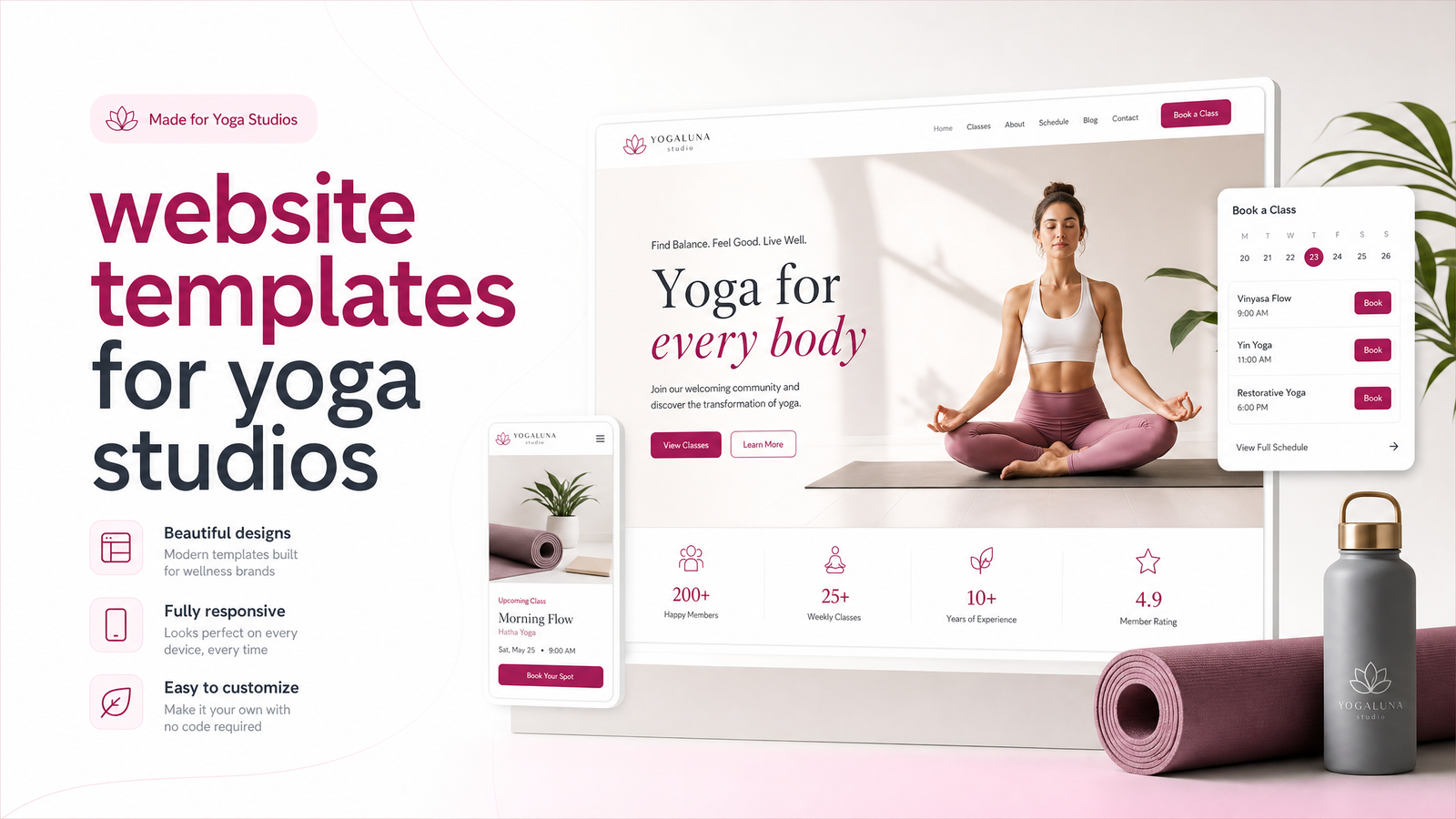
Can a Template Actually Work for a Yoga Studio?
Yes — for a while. If you're a solo teacher or a studio in its first year, website templates for yoga studios can get you online, taking bookings and looking presentable within a weekend. They're cheap, fast, and don't require a designer on speed dial.
But templates come with tradeoffs that most "best templates for yoga studios" roundups skip, mostly because those roundups are written by the platforms selling the templates or affiliates earning a commission on your signup. This is the studio-owner's-side version: where templates earn their keep, where they start creaking under real class schedules and booking software, and how to tell which stage you're in.
The Best Website Builders for Yoga Studio Templates
There's no single "best" platform — each trades design flexibility for ease of use differently.
Squarespace is the go-to for studios wanting something visually calm out of the box. A Squarespace yoga template tends to have strong typography and photo layouts pre-built, suiting the wellness aesthetic well. The downside: customization beyond swapping colors and images gets technical fast, and booking widget embeds can look visually disconnected from the rest of the design.
Wix wins on ease of use. A Wix yoga website is genuinely drag-and-drop, so a non-technical teacher can rearrange sections without touching code. The tradeoff is page bloat — Wix sites often carry more background scripts than needed, which shows up as sluggish load times once you've added a booking widget, an Instagram feed, and a gallery.
WordPress is the flexible middle ground. A WordPress yoga theme paired with a page builder (Elementor, for example) gives more control over layout and, critically, technical SEO — clean URLs, structured data, caching plugins. The cost is a steeper learning curve and ongoing maintenance: plugin updates, security patches, backups. Nobody teaching six classes a day wants that job.
Webflow sits at the top for design quality. A Webflow yoga template can look genuinely custom and loads fast because the platform generates cleaner code than most builders. But Webflow's visual editor has a real learning curve, and most studio owners won't build confidently in it without help.
The honest takeaway: platform choice matters less than what you build on it. All four can produce a decent-looking site — or a slow, generic one if you're not paying attention to the details in the next section.
What Every Good Yoga Studio Template Needs
Regardless of platform, these are the yoga website must-haves that separate a site that books classes from one that just looks nice:
- Visible class schedule. A timetable that's easy to scan on a phone, not buried three clicks deep or shown as a static image nobody can update.
- Teacher bios with photos. Wellness clients book people, not brands — a faceless "meet our team" page undersells your studio.
- An intro-offer CTA above the fold. New-student pricing (first class free, or a discounted intro week) converts better when it's the first thing a visitor sees, not something they have to hunt for.
- A mobile booking flow that doesn't fight the user. Most studio traffic is mobile, often searched right before a class. If booking takes more than two taps to start, you're losing sign-ups.
- Calming but fast-loading visuals. Soft imagery matters for brand feel, but it has to be compressed properly — a beautiful hero image that takes six seconds to load is a beautiful hero image nobody sees.
These are the yoga studio website design elements worth checking on any template before you commit to it, free or paid.
Where Templates Start to Hold Studios Back
The friction shows up gradually, usually right when the studio starts growing.
Booking integration is the biggest one. Mindbody, Vagaro, and Acuity Scheduling all offer embeddable widgets, and on a template site they typically look exactly like what they are — a rectangle from another company dropped into your page, with different fonts and colors than the rest of your brand. Making yoga website booking integration feel native usually requires custom CSS work most template users can't do themselves. If you're still deciding between booking platforms, this decision guide is worth reading before you build anything.
Page speed and local SEO drag next. Templates are built to be flexible for every possible business, so they ship with more code than a single-purpose yoga studio site needs. Add a booking widget, a class gallery, and a WellnessLiving or Mindbody script, and load times climb — hurting both user experience and yoga studio SEO rankings for "yoga classes near me" searches, where speed and mobile experience are ranking factors.
Generic look in a saturated market. Search "yoga studio website" and you'll notice the same three or four templates repeating across cities — same hero layout, same font pairing, same stock-adjacent imagery. In a niche where brand feel is half the sale, sameness is a real cost.
Time. Every schedule change, new teacher, or seasonal promotion means logging into the site builder yourself. For an owner who's also teaching, subbing classes, and managing staff, that's real time not spent doing the thing that actually brings in revenue.
Template, Semi-Custom, or Fully Custom: A Quick Self-Test
Ask yourself these four questions honestly:
- How complex is your booking setup? A single teacher on Acuity is simple to embed. Multiple locations, memberships, and packages on Mindbody or Vagaro get messy fast on a template.
- How much does brand differentiation matter to you? If you're competing with three other studios within walking distance, looking like a template hurts.
- What's your timeline? Templates launch in days; a properly customized template vs custom website comparison usually shows custom builds taking longer but needing far less rework later. This guide on build timelines breaks down realistic expectations for 2026.
- What's your budget for ongoing maintenance, not just launch? Templates are cheap upfront and expensive in owner time. Custom builds cost more upfront and less in your time later.
If you answered "simple," "not much," "fast," and "low budget" across the board, a template is still the right call for now. If two or more answers point the other way, you've likely outgrown DIY.
How Launchevra Builds Yoga Studio Websites Without the Template Ceiling
Launchevra builds done-for-you sites that look and perform like a custom build without the DIY workload or the template price tag's hidden time cost. That means a professionally designed site with your booking platform integrated to actually match your brand — not bolted on — plus the technical SEO groundwork (speed, structure, local search setup) handled before launch, not fixed six months in.
The same principles apply across studio-style businesses — see how this plays out for a comparable niche in website design for dance studios, or check the local business website service page to see how it applies to yoga studios specifically. Pricing is straightforward and listed on the pricing page, with no surprise add-ons for booking integration or SEO setup.
If you're not sure which path fits, send Launchevra your current site or template shortlist for a free, honest look — you'll get a straight answer on whether a template will hold up for your studio or whether a custom build pays for itself faster than you'd expect. Start at Launchevra.
Frequently Asked Questions
Are free website templates good enough for a yoga studio?
Free templates can work for a brand-new solo teacher who just needs a schedule and contact page online quickly. They usually fall short once you add booking software, need mobile-optimized conversion flows, or want a look that doesn't match dozens of other free-template sites in your area.
What's the best website builder specifically for yoga studios?
There isn't one universal best — Squarespace suits calm, photo-led aesthetics, Wix suits non-technical owners who want easy editing, WordPress suits owners wanting more SEO control, and Webflow suits those wanting the most polished, custom-feeling design. The right choice depends on your technical comfort and how much time you have to maintain it.
Can I connect Mindbody or Vagaro to a template website?
Yes, most templates support embedding Mindbody, Vagaro, or Acuity Scheduling widgets directly onto a page. The catch is visual integration — these widgets often look like a separate box dropped into your design rather than a native part of your site unless someone customizes the styling.
How much does a yoga studio website cost if I don't use a template?
Costs vary by scope, but a done-for-you custom build from a service like Launchevra is priced to be more affordable than most owners expect, especially compared to hiring a freelance designer and developer separately. Check the pricing page for current details.
Do yoga studio templates come with booking and scheduling built in?
No — templates provide the design layout, but scheduling comes from a separate platform like Mindbody, Vagaro, Acuity Scheduling, or WellnessLiving that you connect afterward. The template itself rarely includes native booking functionality.
How long does it take to launch a yoga studio website from a template?
A basic template site can go live within a few days to a couple of weeks, depending on how much content and customization you're doing yourself. Custom-built sites take longer upfront but typically need far less rework later — see the full breakdown of realistic build timelines for specifics.
Originally published on Rankevra.