
Website Structure for Local Business SEO: The Full System
18 September 2026
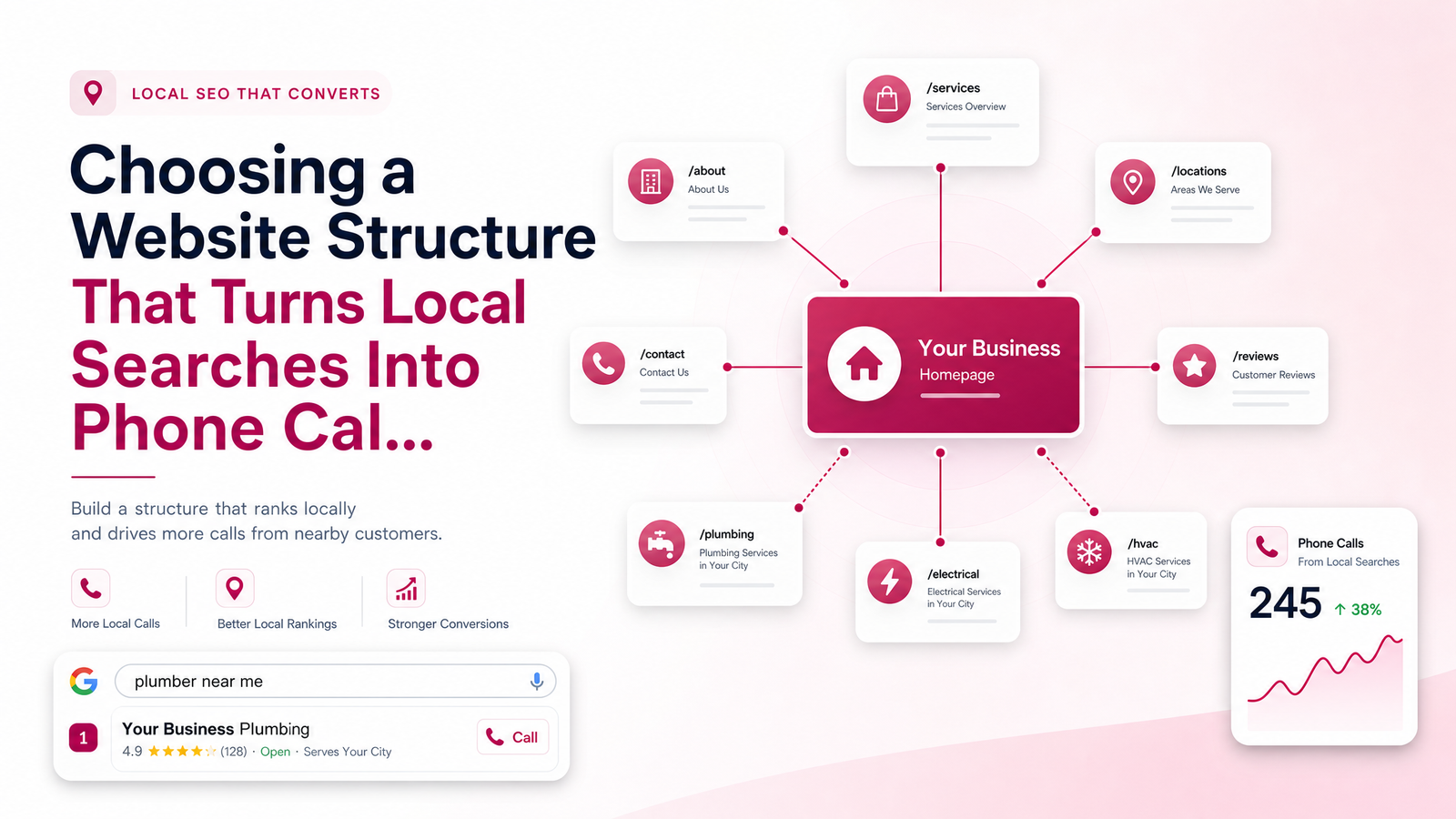
Why Website Structure Decides Whether You Rank — Or Get Ignored
Plenty of local business websites look sharp and still fail to bring in calls. The design isn't the problem — the structure is. When a site crams every service onto one page, buries the phone number, or gives no clear signal about where the business operates, both Google and visitors struggle to figure out what you do and whether you serve them.
Good website structure for local business SEO isn't about having more pages — it's about having the right pages, each doing one job, connected in a way that makes sense to a search engine and a stressed-out homeowner at the same time. That's the core of solid local business site architecture: a homepage that introduces you, service pages that prove you can solve a specific problem, and location pages that confirm you cover the right area. Treat these as three separate tools, not variations of the same page, and the rest of your SEO work gets easier.
The Homepage: Your First (and Fastest) Impression
Your homepage has seconds to answer three questions: who do you help, where, and how do they reach you. It is not the place to try to rank for every service and every city you cover — that job belongs to the pages beneath it.
A strong local business homepage states the core service category, the general service area, and a visible phone number or booking link above the fold. Below that, it should link clearly out to individual service pages and location pages rather than describing each in paragraph form. Think of the homepage as a directory and a trust-builder — reviews, credentials, a service area map, and a handful of client logos or before/after shots go a long way — while the heavy lifting on specific keywords happens deeper in the site. Homepage SEO for small business works best when the page stays focused and lets its children do the ranking.
Service Pages: One Page, One Service, One Clear Action
Bundling everything — plumbing, electrical, HVAC, remodeling — onto a single "Services" page might feel efficient, but it dilutes your relevance for every one of those terms and gives visitors no clear next step. Someone searching "emergency water heater repair" wants a page about that, not a paragraph buried in a general services list.
A page built for service pages local SEO needs a few specific things: a clear, singular focus (one service, not a category), evidence that you're good at it (reviews, project photos, certifications), some indication of cost expectations even if it's just a range or "free quotes," a mention of the area you serve, and a direct call to action — call, text, or book. This is the real difference in the homepage vs service pages debate: the homepage sells the business broadly, the service page sells one outcome specifically. If you're a tradesperson wondering how granular to get, Website for Electricians: What Actually Gets the Phone walks through this for one trade.
Location Pages vs. Service Area Pages: Which Do You Actually Need?
This is where most small business sites go wrong — either ignoring location entirely or mass-producing thin city pages that all say the same thing with the town name swapped out. Google recognizes that pattern immediately, and it doesn't help rankings.
Use this decision rule: if customers travel to you — a clinic, a studio, a retail shop — you need a location page for each real, physical location you operate. If you travel to customers — most contractors, cleaners, electricians, landscapers — you need service area pages, not location pages, because you're not tied to one address.
The question "do I need a location page for every city" usually has a smaller answer than owners expect. Start with a handful of real, unique pages covering the areas that actually generate business, not a template stamped across twenty towns. Each service area page should include specifics: neighborhoods you actually work in, a local landmark or two, maybe a completed job in that town, and the same clear CTA as your service pages. Website Design for Roofers That Actually Wins Jobs shows how this plays out for a trade that typically covers several towns rather than one storefront.
Tying It All Together: Internal Linking and Navigation That Guides Both Google and Customers
None of these pages work in isolation. Internal linking local SEO is what tells Google how your site is organized — which pages are the important hubs (homepage), which are specific offerings (service pages), and which define your coverage area (location pages). Your homepage should link to every core service and every location or service area page. Each service page should link back to related services and to the location pages it applies to. Each location page should link to the services offered there.
Good website navigation for local business mirrors this logic in the menu itself — clear "Services" and "Areas We Serve" dropdowns beat a flat, unorganized list of links. A visitor who lands on any page, from any search, should be able to find a path to calling you within two clicks — never a dead end, never a generic "contact us" with no context.
A Simple Structure Example You Can Copy
Here's a compact local business site map example for a plumbing company serving three nearby towns:
- Homepage (overview, service area, phone number, links to everything below)
- Service: Drain Cleaning
- Service: Water Heater Repair
- Service: Leak Detection
- Service: Emergency Plumbing
- Service Area: Springfield
- Service Area: Millbrook
- Service Area: Fairview
A dental clinic with one physical office would swap the service area pages for a single location page and add service pages for cleanings, whitening, and implants. Either way, this structure scales — add a service or a town only when there's real demand behind it, not just to fill out the sitemap.
Once your structure is mapped, the next steps are writing the actual content and getting the technical setup right before launch — covered in The Website Launch Checklist Every Small Business Needs. And structure alone won't convert visitors — pair it with the guidance in Turn Website Visitors Into Customers After Launch.
Frequently Asked Questions
Do I need a separate page for every city I serve?
No — only where it's real and different. Build service area pages for towns where you actually get regular jobs, with unique details about that area, rather than duplicating a template across every city within driving distance.
What's the difference between a service page and a location page?
A service page focuses on one specific offering, like drain cleaning or teeth whitening, regardless of where it's delivered. A location or service area page focuses on where you operate, listing the services available there — the two work together but answer different search intents.
Should my homepage list all my services or just link to them?
Link to them. The homepage should briefly frame your overall business and then send visitors to dedicated service pages, which can go deeper on proof, pricing, and calls to action than a homepage summary ever could.
How many pages does a small local business website actually need?
Most small businesses do well with one homepage, three to six service pages, and two to five location or service area pages, depending on how many distinct services and towns actually drive business. More pages only help if each one is unique and useful.
Can one page cover both a service and a location?
Yes, for smaller operations this is common and fine — a "Water Heater Repair in Springfield" page can work well if you serve one main area. Once you serve multiple towns or offer many services, splitting them into separate service and location pages usually performs better.
Will too many location pages hurt my SEO instead of helping it?
Yes, if they're thin or duplicated. Dozens of near-identical city pages with swapped town names can trigger quality issues in Google's eyes; a handful of genuinely unique pages will always outperform a mass-produced set.
If planning and writing all of this yourself sounds like more than you want to take on, Launchevra builds this structure for you — homepage, service pages, and location or service area pages, all interlinked and written to convert from day one. Check out our work for websites for contractors and trades, or get in touch and we'll handle the structure, copy, and technical setup so you don't have to.
Originally published on Rankevra.