
SEO Checklist for Local Small Business Websites
24 September 2026
Why Most SEO Checklists Don't Fit Local Businesses
Search for "SEO checklist" and you'll get a 50-item monster built for ecommerce brands and enterprise marketing teams — canonical tags for product variants, backlink outreach campaigns, content calendars you'll never have time to write. None of that reflects how a plumber, chiropractor, or bookkeeper actually gets found on Google.
A local service business needs to show up when someone nearby searches for what it does, right now. Google narrows this down to three ranking factors: relevance, distance, and prominence — straight from Google's own guidance on local ranking, and the most useful lens for an owner with limited time.
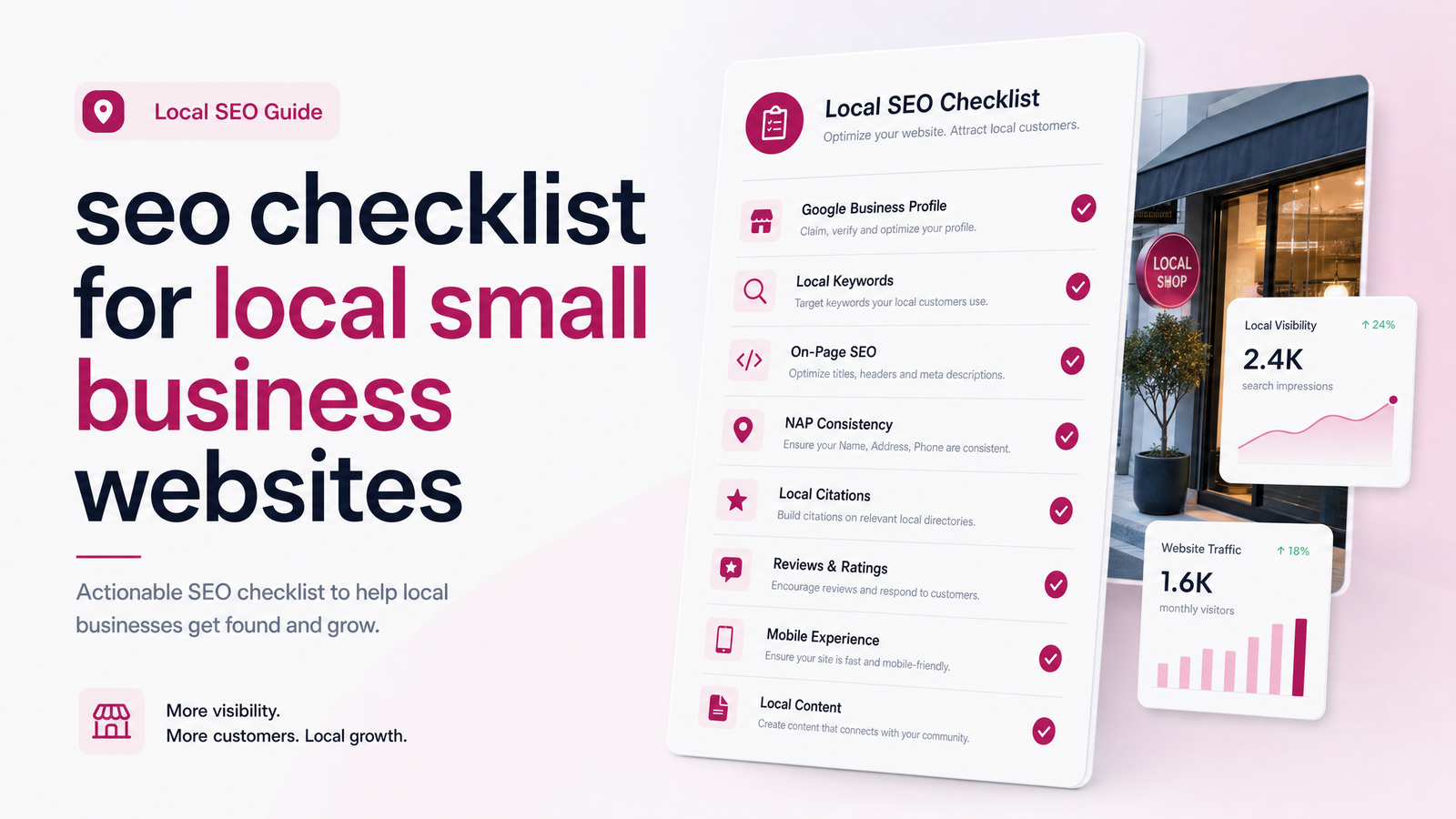
This checklist is organized around those three pillars. Instead of a flat list of tasks, you'll understand why each item matters — making it easier to prioritize and know what's safe to skip. This is SEO for small business matched to how small business owners actually work: limited time, no marketing department, and a website that needs to earn its keep.
1. Google Business Profile: Your Highest-Impact Fix
If you fix only one thing on this checklist, fix this. Your Google Business Profile (GBP) is the single biggest local SEO ranking factor available to a small business, because it feeds directly into the map pack — the block of three local results most people click before reaching organic listings.
The essentials:
- Claim and verify your listing if you haven't already.
- Pick the most accurate primary category (not the broadest one).
- Keep hours current, especially around holidays.
- Add real photos regularly — of your team, location, and completed work.
- Match your business name, address, and phone number (NAP) exactly across your website and profile — inconsistency quietly confuses Google and erodes trust.
This is worth doing properly rather than quickly. For the full setup process, see our Google Business Profile Setup: The Complete 2026 Guide.
2. On-Page SEO Your Site Needs
Once your GBP is solid, your website needs to reinforce the same relevance signals. This is where a small business SEO checklist usually goes wrong — either ignored entirely or overloaded with copy stuffed with keywords no human would say out loud.
What actually matters for on-page SEO for local business:
- Title tags that name your service and your city — the single highest-leverage line of text on any page.
- Service and location keywords used naturally in the body copy, not crammed in. If you serve one metro area, say so clearly on your homepage and service pages.
- A dedicated page per service or location, if you offer more than one — one page trying to rank for "roofing," "gutter repair," and "siding" in three cities almost always underperforms three focused pages.
- Internal links connecting your services, service areas, and contact page, so both visitors and Google can navigate your site's structure easily.
Good on-page SEO depends on good writing, a specialized skill of its own — see our Website Copywriting Service: What It Costs in 2026 if this is the part you'd rather hand off.
3. Technical SEO Issues That Quietly Kill Rankings
This is the part of any technical SEO checklist for small business that owners underestimate — the problems are invisible until you go looking, and fixing them usually requires code, not content.
- Site speed. A slow-loading site loses visitors and rankings before they even see your content.
- Mobile-friendliness. Most local searches happen on a phone; a site that isn't built mobile-first loses both users and position. Our Mobile-First Website Design guide covers what "mobile-first" actually means beyond "it shrinks to fit."
- Broken links and 404s. These accumulate silently as you update services or delete old pages, damaging both user trust and crawl efficiency.
- HTTPS. Non-secure sites get flagged by browsers and deprioritized by Google — worth verifying even if it should already be in place.
- Sitemap and indexing. If Google can't find or index your pages, nothing else on this checklist matters.
- Schema markup. Structured data tells Google exactly what your business is, where it operates, and what it offers — a quiet but real advantage. Our Schema Markup for Local Business guide explains it without the jargon.
Almost every item here requires developer access or platform-level knowledge — usually where DIY checklists stall out.
4. Reviews & Local Signals That Build Trust (Prominence)
Prominence, Google's third pillar, is essentially a trust score built from how the wider internet talks about your business: reviews, citations, and activity.
Google reviews and SEO are now more tightly linked than ever. The 2026 shift toward rewarding review recency and velocity — not just total count — means a business with a steady trickle of recent reviews often outranks a competitor sitting on hundreds of old ones. Responding to reviews, especially critical ones, also signals an active, trustworthy business.
Beyond reviews, prominence for local SEO includes:
- Consistent NAP citations across directories like Yelp, industry associations, and chamber of commerce listings.
- Recent activity on your GBP — posts, photo updates, Q&A responses.
- Backlinks from genuinely local sources — a mention from a local news site or partner business carries real weight.
If building this out yourself feels like a full-time job on top of your actual job, our Local SEO Services for Small Business piece breaks down what a done-for-you version typically covers.
DIY vs. Done-For-You: Which Checklist Items Actually Need a Pro
Not everything here demands a specialist. Claiming your GBP, filling in hours and photos, and asking recent customers for reviews are all things you can knock out in an afternoon with no technical skill required.
The harder line sits with anything touching code or structure: site speed optimization, schema markup, mobile-first rebuilds, and writing genuinely persuasive, keyword-aware service pages. These are tasks where a well-meaning DIY attempt often costs more in lost time — or lost rankings — than hiring it out from the start. The hire-an-SEO-agency-vs-DIY decision comes down to this: quick, low-risk tasks are yours to do; anything technical or written at scale is where small business website SEO help pays for itself.
Some of this checklist takes ten minutes. The rest — schema, speed, mobile structure, copy that actually converts — is exactly what Launchevra builds into every site from day one, so you're not retrofitting SEO onto a site that was never built for it. Take a look at our pricing to see what a professionally built, SEO-ready site actually costs.
Frequently Asked Questions
How long does it take to see SEO results for a local small business website?
Most local businesses start seeing measurable movement within 2 to 4 months, with stronger gains around the 6-month mark as reviews accumulate and technical fixes take hold. Google Business Profile changes tend to show impact fastest, while on-page and technical fixes compound more gradually.
Do I need to hire an SEO agency or can I do this checklist myself?
You can handle the quick, non-technical items yourself — claiming your GBP, requesting reviews, updating hours and photos. Anything involving site speed, schema markup, mobile structure, or professional copywriting typically needs a developer or specialist to do correctly and efficiently.
How many Google reviews does a small business actually need to rank?
There's no fixed number — recent, consistent reviews matter more than a large static total. A business earning a few new reviews each month typically outperforms a competitor with hundreds of reviews that stopped coming in years ago.
Is a Google Business Profile more important than my website for local SEO?
Your Google Business Profile is generally the single biggest local ranking lever, since it feeds directly into map pack results. Your website still matters for relevance, conversions, and credibility once someone clicks through.
What's the biggest SEO mistake small business websites make?
The most common mistake is treating the website and Google Business Profile as separate projects instead of consistent, matching signals — mismatched NAP details, missing location keywords, or a site that's technically slow or not mobile-friendly. These issues quietly suppress rankings even when the business itself is strong.
Does SEO cost more than a website redesign?
It depends on scope, but ongoing SEO work is typically an added cost layered on top of a website, not a replacement for one. Building SEO fundamentals — speed, mobile structure, schema, clear copy — directly into a new site from the start is usually more efficient than fixing them retroactively.
Originally published on Rankevra.